Burger King Order Online 2026: Pickup, Delivery, App & Website Guide (USA)
You want a Whopper. You don’t want to wait in line. You don’t want to shout your order through a crackly drive‑thru speaker. You just want to tap a few buttons and have your food ready – or brought to your door.
That’s Burger King’s order online.
In 2026, ordering online is the smartest way to get BK. You can skip the line, use exclusive app deals, earn Royal Perks Crowns, and even schedule pickup for later. But there are multiple ways to order online – and not all of them are the same.
This guide covers every method: the BK app, the BK website, DoorDash, Uber Eats, and Grubhub. You will learn step‑by‑step how to order, how to pay, how to use deals, and what to do if something goes wrong.
Quick answer:
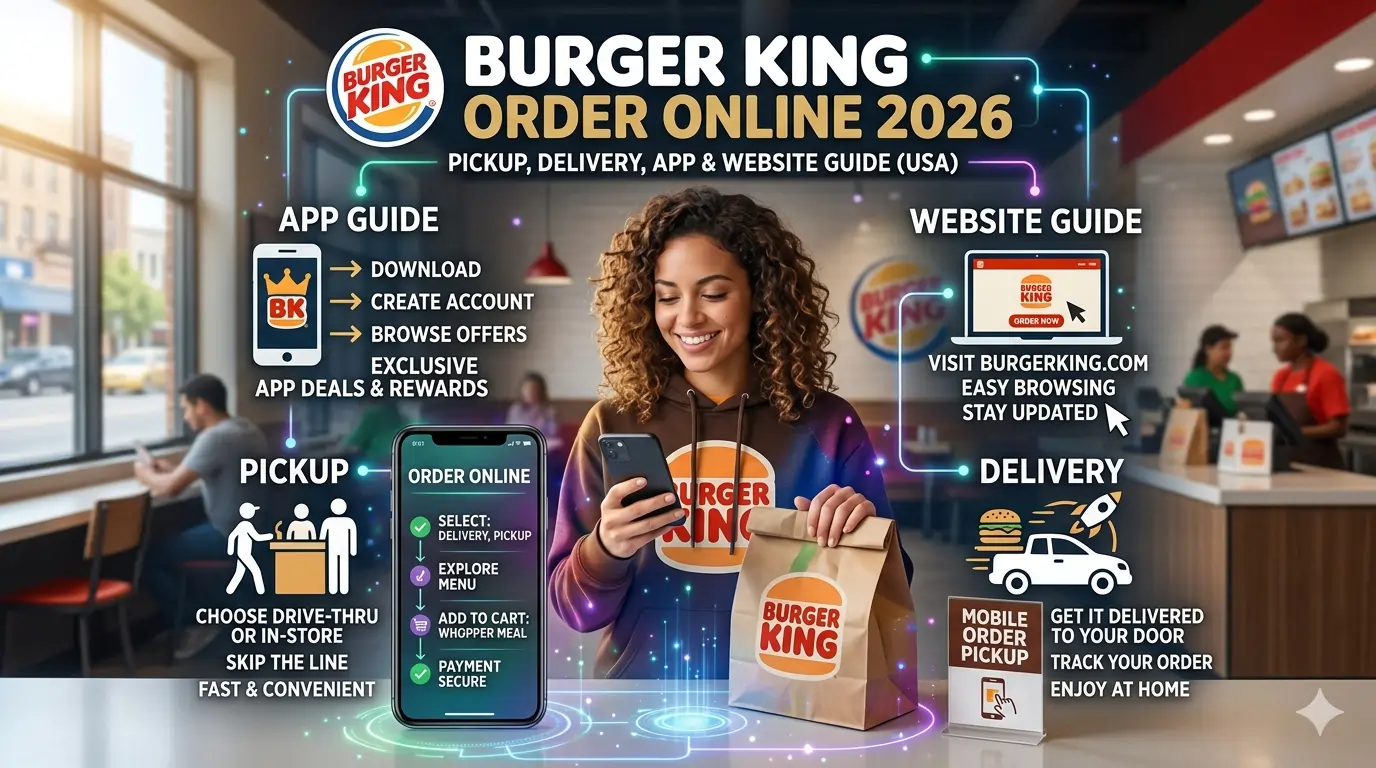
You can order Burger King online in three ways: (1) via the BK app (best for deals, Crowns, and pickup), (2) via bk.com (website ordering for pickup), and (3) via DoorDash, Uber Eats, or Grubhub (for delivery). Pickup orders are free and take about 10‑15 minutes. Delivery orders have higher menu prices, delivery fees, and tips. App‑exclusive deals like Whopper Wednesday and the King Deal are only available for pickup, not delivery. You can pay with credit/debit cards, Apple Pay, Google Pay, or BK gift cards. Cash is not accepted for online orders.
Table of Contents
- How to Order Burger King Online – 3 Easy Ways
- Order via BK App (Best for Deals & Rewards)
- Order via BK Website (bk.com)
- Order via Delivery Apps (DoorDash, Uber Eats, Grubhub)
- Burger King Online Pickup – How It Works
- Curbside Pickup vs In‑Store Pickup
- Estimated Wait Time
- Burger King Online Delivery – What to Know
- Can You Use Deals & Coupons When Ordering Online?
- How to Pay for Burger King Online Order
- Burger King Online Order Troubleshooting (Not Working? Fixes)
- How to Cancel or Modify an Online Order
- Frequently Asked Questions
- The Bottom Line – Best Way to Order Burger King Online
How to Order Burger King Online – 3 Easy Ways
Burger King offers three distinct ways to order online. Each has its own pros and cons.
Order via BK App (Best for Deals & Rewards)
The BK app is the most powerful way to order online. It’s free, gives you access to exclusive BK deals, and lets you earn Royal Perks Crowns on every purchase.
Step‑by‑step:
- Download the Burger King app from the Apple App Store or Google Play Store.
- Open the app and tap “Order” at the bottom.
- Select “Pickup” (or “Delivery” – but delivery is redirected to DoorDash).
- Allow location access, or manually enter your address to find the nearest BK.
- Browse the menu or tap “Deals” to add an offer (e.g., Whopper Wednesday, King Deal).
- Customize your items (no pickles, add cheese, etc.).
- Tap “Add to Bag” then “View Bag.”
- Tap “Checkout.”
- Choose payment method: credit/debit card, Apple Pay, Google Pay, or BK gift card.
- Tap “Place Order.”
- Go to the restaurant. For drive‑thru pickup, tell the speaker you have a mobile order. For counter pickup, show your order number.
Why use the app?
- Exclusive app‑only deals (Whopper Wednesday, King Deal, $5 Duo, BOGO)
- Earn 10 Crowns per $1 spent
- Save favorite orders for one‑tap reordering
- Real‑time order tracking
Note: The BK app does not handle delivery directly. If you tap “Delivery,” it redirects you to DoorDash. For delivery, use DoorDash or Uber Eats separately.
Order via BK Website (bk.com)
If you don’t want to download an app, you can order online through the official Burger King website.
Step‑by‑step:
- Go to bk.com on your computer or phone browser.
- Click “Order Now” at the top of the page.
- Enter your address or zip code to find nearby locations.
- Select a location.
- Browse the menu and add items to your bag.
- Click “View Bag” then “Checkout.”
- Sign in or check out as a guest.
- Enter payment information (credit/debit card or gift card).
- Choose pickup (drive‑thru or counter).
- Place your order.
Pros: No app download needed; works on any device.
Cons: No mobile‑exclusive deals; cannot earn Crowns unless you link your Royal Perks account (you can sign in).
Order via Delivery Apps (DoorDash, Uber Eats, Grubhub)
Burger King Delivery USA 2026: How to Order, Fees, Apps & Complete Guide Check this
For delivery, you must use a third‑party app. Burger King does not have its own delivery drivers.
DoorDash is the primary partner. Uber Eats and Grubhub also offer BK delivery in many areas.
Step‑by‑step (DoorDash as example):
- Download DoorDash (or Uber Eats / Grubhub).
- Enter your delivery address.
- Search for “Burger King.”
- Select your nearest location.
- Browse the menu – note that prices are higher than in‑store.
- Add items to your cart.
- Apply any promo codes (e.g., 5off15 for new users).
- Checkout. Add delivery fee, service fee, and tip.
- Pay with credit card, PayPal, or Apple Pay.
- Track your order in real time.
Pros: Food comes to your door.
Cons: Higher prices, delivery fees (2.99‑6.99), service fees (5‑15%), and tips. No BK app deals.
Burger King Online Pickup – How It Works
Ordering online for pickup is the best way to save money and time.
Curbside Pickup vs In‑Store Pickup
| Feature | Curbside Pickup | In‑Store Pickup (Counter or Drive‑Thru) |
| How to select | In BK app, choose “Curbside” at checkout | Choose “Drive‑Thru” or “Counter” |
| Parking | Park in designated curbside spot | N/A |
| Notification | Tap “I’m Here” in the app | Just go to the counter or speaker |
| Employee brings food to car | Yes | No |
| Availability | Select locations only | All locations |
Curbside pickup is great when you have kids or don’t want to go inside. Just park, tap a button, and someone brings your food. Also check Kids Meals.
Estimated Wait Time
- Pickup: Usually 10‑15 minutes from when you place the order.
- During Bk peak hours (lunch 12‑1 PM, dinner 6‑7 PM): Could be 15‑20 minutes.
- You can order ahead: Schedule pickup for a later time (e.g., order at 9 AM for 12 PM lunch). Use the BK app’s “Schedule” feature.
- See full Lunch Hours before visiting.
- Burger King Lunch Menu 2026: Full Guide to Every Item, Price, Calorie & Combo Deal Check This. BK Lunch Meal.
Pro tip: Wait for the confirmation email or app notification that says “Your order is ready” before driving to the restaurant.
Burger King Online Delivery – What to Know
Delivery is convenient, but it comes with costs.
| Cost Type | Typical Amount (DoorDash) |
| Menu price markup | 15‑30% higher than in‑store |
| Delivery fee | 2.99 – 6.99 |
| Service fee | 5‑15% of subtotal |
| Small order fee | 2‑3 if under 10‑12 |
| Tip | Recommended 3‑5 or 15‑20% |
| Total extra | Often doubles the in‑store price |
Example: A 10in‑store Whopper meal becomes 12.50 on DoorDash, plus 5 delivery fee,2 service fee, and 3 tip = 22.50 total.
Can you use BK app deals for delivery? No. Whopper Wednesday, King Deal, $5 Duo, and BOGO offers are pickup only.
When is delivery worth it? When you are sick, have no car, or are willing to pay for convenience. Otherwise, pickup is much cheaper.
Delivery hours: Match restaurant hours, but apps may stop taking orders 15‑30 minutes before closing.
Can You Use Deals & Coupons When Ordering Online?
| Ordering Method | App‑Exclusive Deals (Whopper Wed, King Deal, etc.) | Third‑Party Coupons (DoorDash codes) |
| BK App (pickup) | ✅ Yes | ❌ No |
| BK Website (pickup) | ❌ No (but you can sign in to Royal Perks for Crowns) | ❌ No |
| DoorDash / Uber Eats (delivery) | ❌ No | ✅ Yes (e.g., 5 off 15) |
Best strategy for savings:
- For pickup: Use the BK app and check the “Deals” tab.
- For delivery: Look for DoorDash promo codes (first order, DashPass, etc.). Do not expect BK app deals to work.
Royal Perks Crowns: You earn Crowns only when ordering through the BK app for pickup. Delivery orders through DoorDash do not earn Crowns.
How to Pay for Burger King Online Order
| Payment Method | BK App (Pickup) | BK Website | DoorDash / Uber Eats |
| Credit / Debit Card | ✅ Yes | ✅ Yes | ✅ Yes |
| Apple Pay | ✅ Yes | ❌ No | ✅ Yes |
| Google Pay | ✅ Yes | ❌ No | ✅ Yes |
| BK Gift Card | ✅ Yes | ✅ Yes | ❌ No |
| PayPal | ❌ No | ❌ No | ✅ Yes (DoorDash) |
| Cash | ❌ No | ❌ No | ❌ No |
Important: Cash is not accepted for online orders. If you only have cash, you must order in person at the restaurant.
Gift cards: You can add a BK gift card to your account in the BK app. Then select it as payment at checkout.
Burger King Online Order Troubleshooting (Not Working? Fixes)
| Problem | Likely Fix |
| App won’t load or crashes | Update the app → restart phone → reinstall |
| Location not showing | Enable location services in phone settings → refresh |
| Payment declined | Check card expiry/funds → try Apple/Google Pay → add a different card |
| “Order now” button grayed out | Location may be closed or not accepting online orders. Try another BK. |
| Order not ready when I arrive | Confirm you received “Order ready” notification. If not, ask staff to check mobile orders. |
| Can’t apply deal | Deals are location‑specific. Try a different BK. Some deals are pickup only. |
| Forgot to use a deal | You cannot add a deal after ordering. Cancel (if possible) and reorder. |
| Delivery order wrong | Contact DoorDash/Uber Eats support – not the BK restaurant. |
If nothing works: Call the BK customer service line at 1‑866‑394‑2493 or use the “Contact Us” form in the app.
How to Cancel or Modify an Online Order
| Order Type | Can You Cancel? | How |
| BK App (pickup) | Within 1‑2 minutes, before restaurant confirms | Tap “Cancel” in the app. Otherwise, call the restaurant. |
| BK Website (pickup) | Rare. Call the restaurant directly. | Provide order number. |
| DoorDash / Uber Eats | Yes, within a few minutes. | Use the app’s “Cancel Order” button. After the driver is assigned, it may not be possible. |
Note: Once the restaurant starts preparing your food, cancellations are not guaranteed. Refunds are issued on a case‑by‑case basis.
To modify an order: Cancel and reorder. Most apps do not allow edits after submission.
The Bottom Line – Best Way to Order Burger King Online
For the best value: Use the BK app for pickup. You get exclusive deals, earn Crowns, and pay the same low prices as in‑store. Order ahead, skip the line, and grab your food from the drive‑thru or counter. The King Deal (Whopper + fries + drink for ~$7) is the best everyday value.
For convenience when you cannot leave home: Use DoorDash or Uber Eats. Expect to pay about double the in‑store price. It’s a luxury, not a deal.
For a quick web order without an app: Use bk.com for pickup. You won’t get app‑exclusive deals, but you can still order ahead and pay online.
Final recommendation:
Download the BK app. Join Royal Perks (free). Always check the “Deals” tab before ordering. For pickup, choose the King Deal or Whopper Wednesday. For delivery, accept that you are paying for convenience – and use a DoorDash promo code if available.
Now you know every way to order Burger King online. No more waiting in line. No more fumbling for cash. Just a few taps, and your food is on its way – or ready for pickup.
Frequently Asked Questions
How do I order Burger King online?
You can order online through the BK app or bk.com for pickup. For delivery, use DoorDash, Uber Eats, or Grubhub.
Can I order Burger King online for pickup?
Yes. Use the BK app or website, select “Pickup,” and choose drive‑thru or counter pickup. Some locations also offer curbside pickup.
Does Burger King have online ordering for delivery?
Yes – but through third‑party apps (DoorDash, Uber Eats, Grubhub), not directly through BK.
Can I use Burger King app deals when ordering online?
Yes – if you order for pickup through the BK app. Deals like Whopper Wednesday and King Deal do not work for delivery.
How long does Burger King online pickup take?
Typically 10‑15 minutes after you place the order. You will get a notification when it is ready.
Can I schedule a Burger King online order in advance?
Yes. In the BK app, after adding items to your cart, tap “Schedule” and choose a future time (up to several days ahead).
Why is my Burger King online order not going through?
Possible issues: payment declined, location offline, app glitch, or the store is not accepting online orders. Try a different location or payment method.
Can I pay with cash for a Burger King online order?
No. Online orders require card, Apple Pay, Google Pay, or BK gift card. Cash is only accepted in‑person.
Does Burger King online ordering have a fee?
No fee for pickup. Delivery orders have delivery fees, service fees, and higher menu prices.
Can I use Royal Perks Crowns when ordering online?
Yes – when ordering through the BK app for pickup. Delivery orders do not earn Crowns.
How do I cancel a Burger King online order?
In the BK app, tap “Cancel” within the first minute or two. Otherwise, call the restaurant directly. For delivery orders, use the DoorDash/Uber Eats app.
Can I order Burger King breakfast online?
Yes – but only during breakfast hours (6‑10:30 AM weekdays, 6‑11 AM weekends). The BK app and website will show the breakfast menu during those times.
Is online ordering cheaper than drive‑thru?
The food prices are the same (except delivery apps mark up). Pickup online ordering is the same price as drive‑thru. Delivery is much more expensive.


